Established financial firms, healthcare groups, insurers, and distributors often hold a decade of contracts, KYC files, claims packets, and supplier invoices inside an enterprise content management (ECM) or BPM suite — platforms such as Newgen OmniDocs, Newgen iBPS, IBM FileNet, OpenText, or on-premise SharePoint.
The repository underneath rarely fails. Cabinet permissions, retention locks, and audit trails do what they were bought to do. What slows the business down is everything wrapped around the vault: dated browser screens, staff manually keying twelve metadata fields per PDF, multi-month vendor quotes to adjust one approval rule, and customers emailing support for copies of their own documents because there is no clean external portal.
Why full ECM migrations stall
When frustration peaks, the instinct is to commission a full platform replacement. In practice, moving millions of indexed files, preserving legal chain-of-custody timestamps, and untangling years of embedded BPM routing rules in one cutover routinely overruns its budget and freezes every other improvement while it drags on.
Most teams do not actually have a storage problem — they have an intake, orchestration, and access problem. You can replace all three without moving a single archived document.
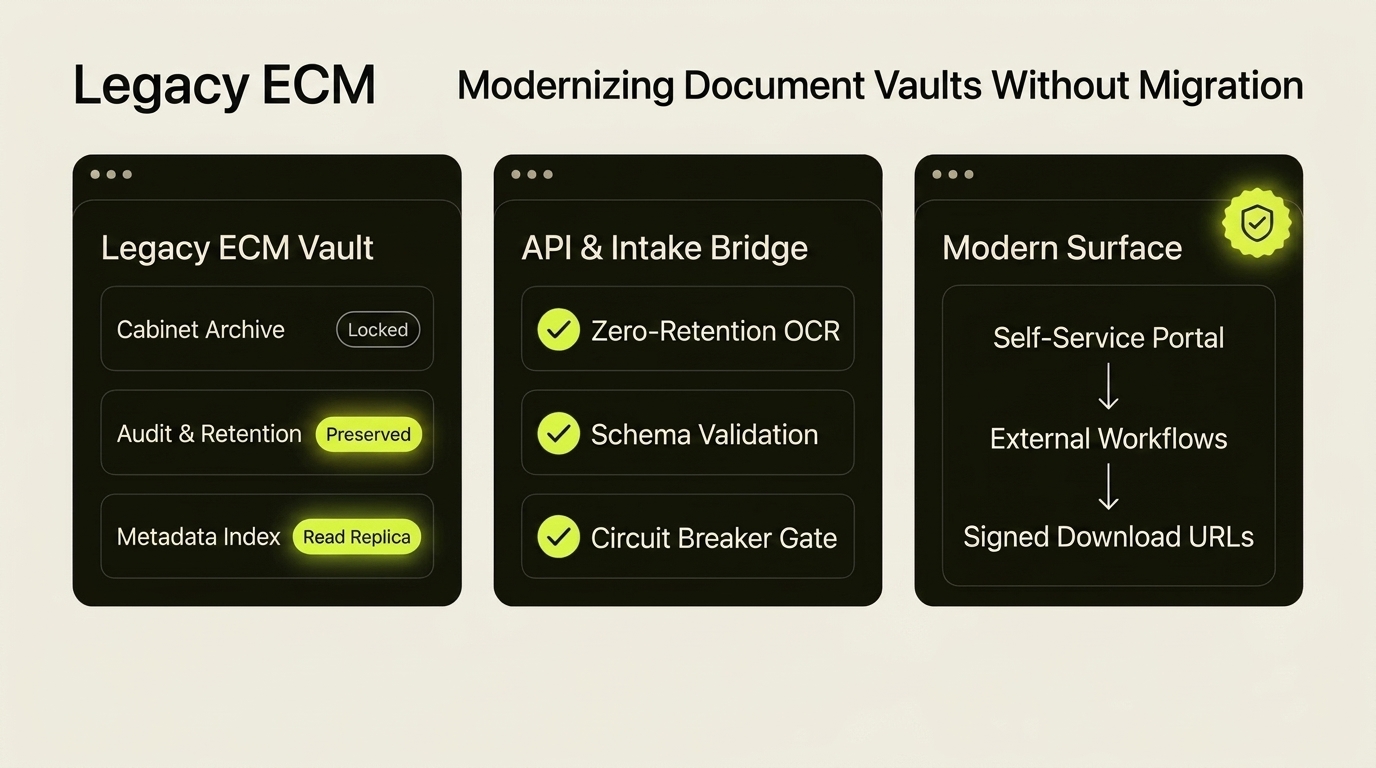
Let the legacy ECM keep doing the one job it excels at: immutable archival and regulatory retention. Move document capture, workflow routing, and client self-service into modern services you own.
Four ways to automate around a legacy ECM
Rather than rewriting the core repository, we place a thin integration layer in front of it across four boundaries:
Instead of back-office staff opening attachments and typing invoice numbers, dates, and account codes into an OmniDocs or FileNet indexing form, route incoming mail and uploads through a commercial zero-retention extraction pipeline first. Validate the extracted JSON against your cabinet schema, then file the document and its metadata automatically via the ECM's web service or watched import folder.
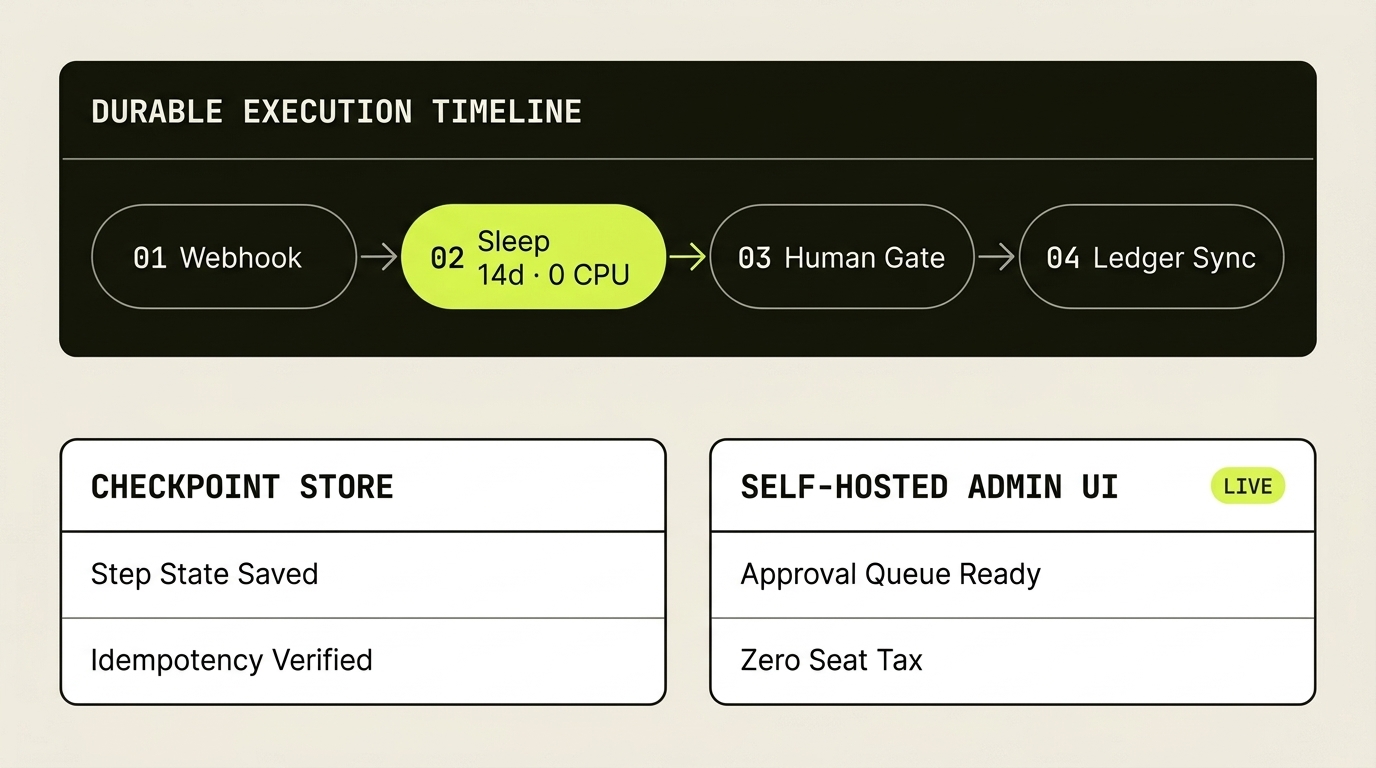
Modifying a stateful process inside a legacy BPM suite like Newgen iBPS often requires specialist vendor consultants and a formal release cycle. Keep the ECM's role narrow — emit an event or poll for new cabinet entries — and run the actual approval notifications, escalations, and ERP syncs inside self-hosted n8n, Power Automate, or clean TypeScript workers your own engineers can update in an afternoon.
Never expose a legacy ECM web client directly to external customers. Put a modern web portal in front of a read-only metadata index, verify who is signed in, and fetch requested statements, certificates, or policies from the vault on demand through short-lived, server-signed URLs.
Older SOAP and Java document endpoints were sized for human click-rates, not cloud webhook bursts. Place a message queue and circuit breaker in front of the adapter — pausing delivery and alerting an engineer if an endpoint hits a threshold such as thirty failures in thirty minutes — so a maintenance window on the on-premise server never drops a single incoming file.
The fastest way to modernize a ten-year-old document system is to stop asking its user interface to do jobs it was never built for.
Common questions
Can we automate workflows around Newgen OmniDocs or iBPS without migrating our archive?
Yes. Most legacy ECM and BPM platforms — including Newgen OmniDocs, iBPS, FileNet, and OpenText — expose REST/SOAP cabinet services, hot-folder importers, or readable SQL metadata tables. You can automate document capture, AI field extraction, and external approvals around the existing repository while leaving archival storage and retention rules untouched.
How do you build an enterprise self-service solution on top of a legacy document repository?
Replicate only the non-sensitive document index (document type, date, reference number, owner ID) into a fast cloud database that powers the client portal's search and listing views. When an authenticated user clicks download, a backend service fetches the file from the legacy vault using a scoped service account and streams it securely, keeping the core ECM off the public internet.
When does wrapping a legacy ECM beat a full next-gen application replacement?
Wrapping wins whenever your compliance archive is stable and the real operational pain is manual data entry, slow vendor change-requests, or lack of customer self-service. A modern intake and portal layer typically ships in six to eight weeks at a fraction of the cost and operational risk of a multi-year repository migration.