The demo is always a success. You create a test form, fill in a tidy name and email address, click submit, and watch the record appear in your CRM two seconds later. The team nods, the project is signed off, and everyone assumes the work is done. Then day thirty arrives.
A customer types an apostrophe in their surname. A supplier sends an invoice with a comma instead of a decimal point. A third-party API pushes an unannounced update that nests a total inside an object. The automation does not display an alert; it halts silently on row forty-seven, leaving forty-eight through eighty untouched.
The happy-path fallacy
Most automations fail because they are designed for the 'happy path' — the narrow sequence of events where inputs are clean, networks never drop a packet, and services respond within five hundred milliseconds. In production, the happy path covers roughly eighty percent of real-world activity.
Amateur builds treat the remaining twenty percent as unexpected bugs to patch one by one as they blow up. Professional systems treat that twenty percent as the primary engineering constraint. If a workflow cannot survive an unexpected null value without dropping the entire batch, it is not an asset; it is an unmonitored liability.
An automation that crashes with an immediate email alert takes an engineer fifteen minutes to fix. An automation that stops silently takes six weeks to notice — usually when an angry customer asks why their order was never dispatched.
The four ways automations break in month two
Across dozens of client system audits, the same four failure modes account for almost every stalled workflow:
A software tool you rely on updates its API. A field previously returned as 'invoice_amount' is now nested under 'payment.total'. The automation receives an undefined variable, writes a zero to your ledger, and continues as if nothing happened.
Webhooks are delivered with 'at-least-once' guarantees. When a payment gateway experiences a momentary network retry, it sends the same payload twice. Without an idempotency check, the customer receives two receipts and two orders are created in your warehouse.
OAuth refresh tokens expire. An administrator changes their Google or Microsoft password, invalidating connected apps. The workflow halts, and the error log sits on a platform dashboard nobody opens.
Marketing runs a promotion or a quarterly billing batch triggers all at once. An endpoint rated for twenty calls a minute receives three hundred. The API returns HTTP 429 Too Many Requests, and every call above the ceiling simply evaporates.
The four guardrails of a resilient workflow
Resilience does not require enterprise bloat. It requires four basic rules built into the flow before the first real customer touches it:
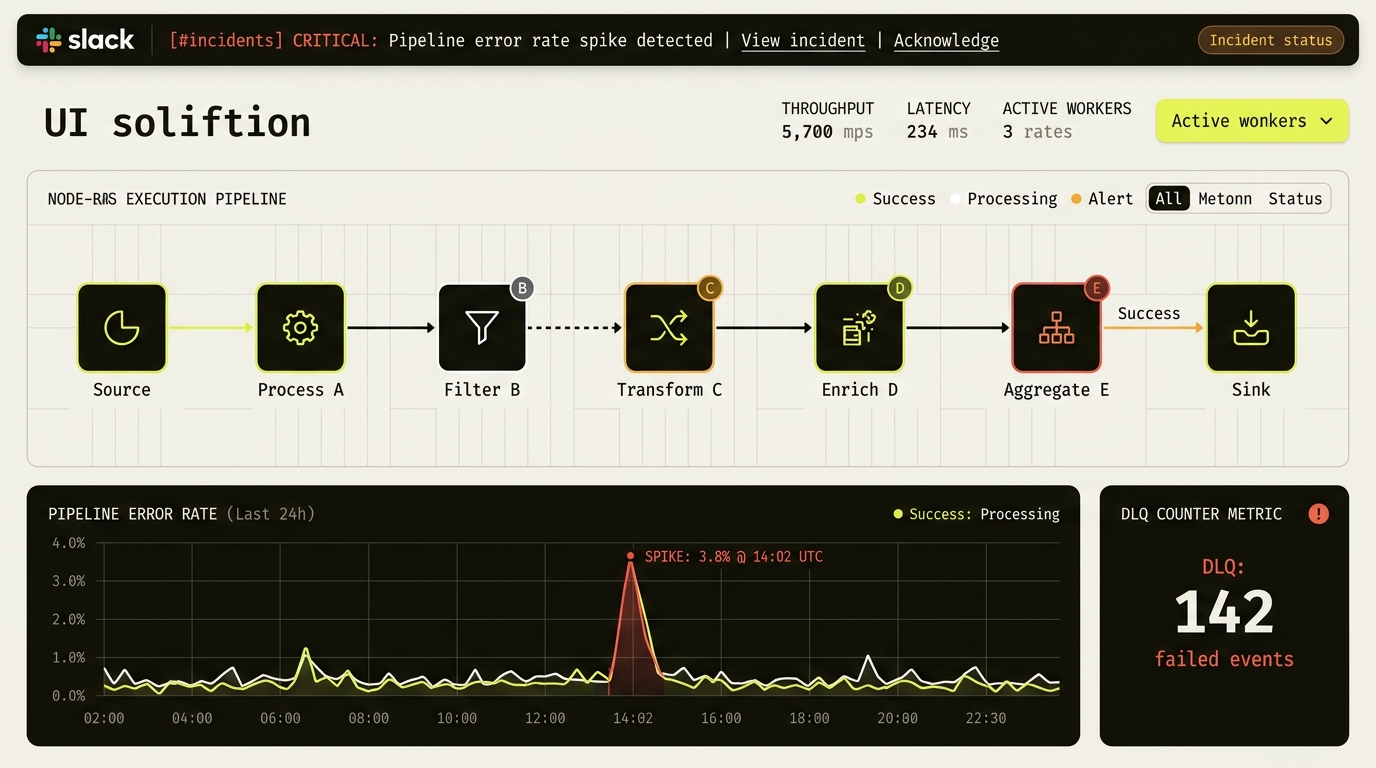
When a record fails validation, do not abort the run. Route the failed payload into a dedicated dead-letter queue (a separate table or storage bucket) with the raw error message attached, and allow the remaining records to process.
Do not expect staff to log into Zapier or Make to check logs. Send a clear, concise alert into an internal Slack or Teams channel: which customer failed, what the error was, and a direct link to re-run the transaction with one click.
Before charging a card or creating an order, check whether a unique transaction identifier (like a Stripe charge ID or email hash) has already been processed in the last twenty-four hours. If it has, exit cleanly without duplicating.
Validate incoming data with a schema parser before passing it to downstream nodes. If an order lacks a shipping address or currency code, reject it at the front door with an actionable error rather than five steps later.
An automation that never asks for help is not well-behaved. It is hiding something.
What to audit this week
Look at your most critical automated workflow. Turn off your internet connection mid-run or pass it a record with a missing email address. If nobody on your team receives a notification within five minutes, you have a Day 30 problem waiting to happen.
Common questions
Why do business workflow automations break after 30 days in production?
Production workflows rarely fail because of syntax bugs; they break because real-world inputs drift away from week-one test data. Unannounced API schema changes, duplicate webhook retries without idempotency keys, expired OAuth refresh tokens, and HTTP 429 rate-limit spikes cause unguarded workflows to halt silently.
What should happen when an automation hits a failure threshold like 30 failures in 30 minutes?
When an integration reaches a sustained error threshold — such as 30 failure counts in 30 minutes — a circuit breaker should trip automatically: pause downstream calls so you stop hammering a degraded API, hold incoming payloads safely in a dead-letter queue, and send one consolidated alert to Slack or Teams rather than thirty separate failure emails.
How does a dead-letter queue prevent data loss in n8n, Make, or custom workflows?
A dead-letter queue captures the raw input payload, timestamp, and exact error trace whenever a single item fails validation or an external API rejects it. The rest of the batch keeps processing normally, and an engineer can inspect and replay the quarantined records once the root cause is fixed.