The question operations managers ask us most often is 'Which automation platform should we buy?' It sounds like a software shopping question, but it is actually an architecture question. When you pick an automation platform, you are deciding where your business logic lives, where your customer data travels, and what happens to your monthly bill when volume doubles.
There is no single best platform. A tool that is brilliant for connecting a Typeform to a Google Sheet is an expensive disaster for processing ten thousand warehouse dispatches a day. Here is how the five main platforms actually behave in production.
The five platforms in plain English
Zapier is the easiest tool on the market for non-technical teams. Its library of pre-built integrations is unmatched. But its pricing model charges per task, its branching logic is rigid, and it becomes punishingly expensive the moment a process involves loops or high transaction counts.
Make (formerly Integromat) is where teams go when Zapier bills get absurd. Its visual canvas lets you build complex multi-branch routers, aggregate arrays, and write custom error-handling branches. For standard cloud SaaS integrations under fifty thousand operations a month, it is the most practical choice.
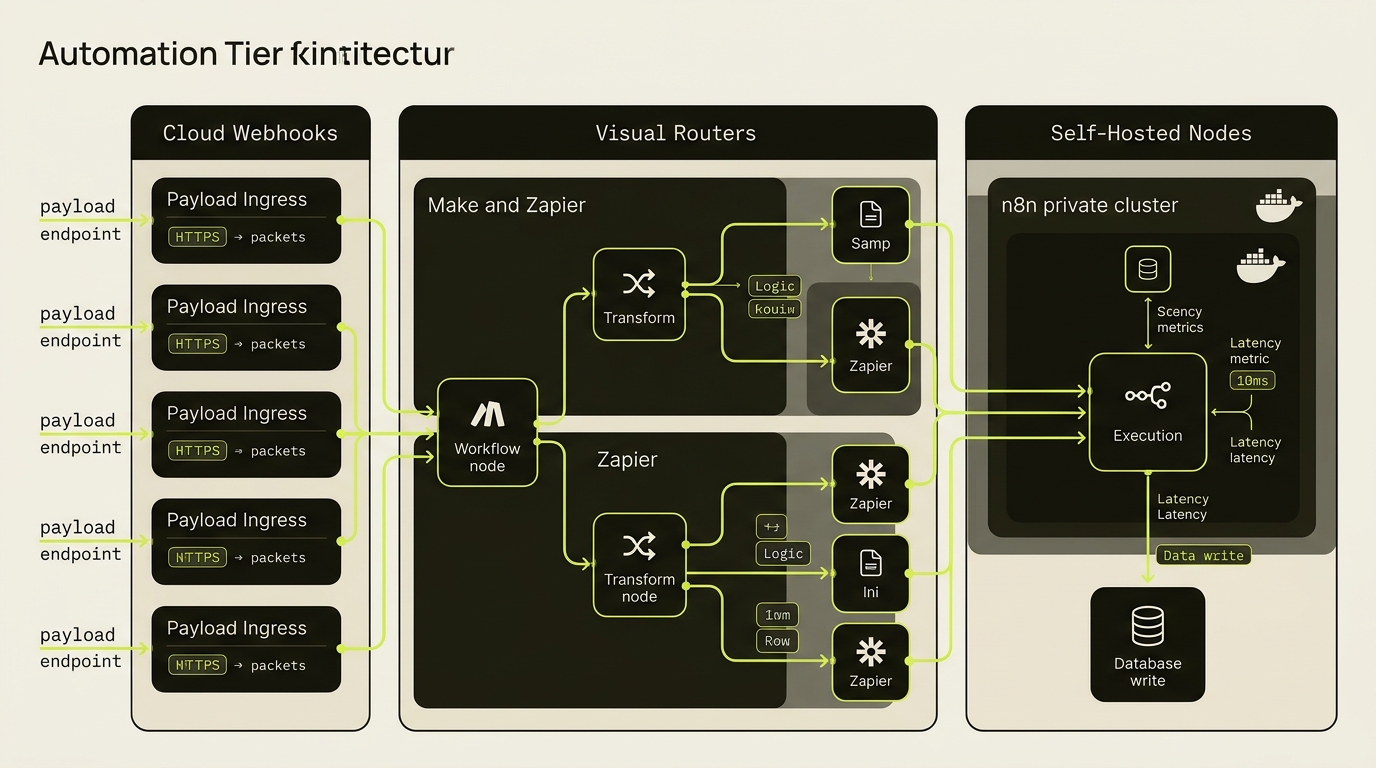
n8n is open-source, written in TypeScript, and can be hosted on your own virtual server for fifteen dollars a month. Because you host it, there are zero per-task fees. It handles custom JavaScript, complex transformations, and private AI pipelines without third-party data access. It requires technical comfort to maintain, but it eliminates software vendor lock-in completely.
If your company already pays for Microsoft 365, Power Automate is built into the ecosystem. It connects cleanly to SharePoint, Outlook, Teams, and Excel, and includes desktop RPA capabilities for Windows environments. It is clunky for modern webhooks, but essential for enterprise IT compliance.
UiPath is not designed for simple API calls. It is designed for legacy desktop software, Citrix virtual desktops, and terminal emulators that have no API. With annual licensing starting in the thousands of dollars, it is an enterprise tool for high-value legacy bottlenecks, not an everyday SMB workflow engine.
The task tax: why volume changes the math
The mistake people make when budgeting for automation is assuming one transaction equals one task. It almost never does. A single order might require six steps: parse the webhook, find the customer in your CRM, create an invoice, send a notification, update inventory, and log the receipt.
At one thousand orders a month, that is six thousand tasks. At five thousand orders, that is thirty thousand tasks. On Zapier, you are suddenly paying three hundred dollars a month just to move text between systems. On a self-hosted n8n instance, the cost is the same fifteen-dollar server bill whether you run ten operations or ten million.
Under ten thousand tasks a month, cloud convenience beats hosting overhead. Above fifty thousand tasks a month, paying per-task subscription fees is simply throwing money away.
Where does your data actually travel?
Every time an automation runs, the payload passes through the vendor's servers. On Zapier and Make, client names, email addresses, and invoice amounts sit in third-party execution logs. For standard marketing, this is fine. For sensitive medical records, legal files, or strict GDPR compliance, sending unencrypted client PII through a shared cloud processor is a liability.
This is why privacy-conscious businesses move to private n8n or Power Automate instances where the entire execution runs inside their own firewall.
The right automation stack is the one your business can run at ten times your current volume without changing the underlying architecture.
The three-question decision rule
If your files live on SharePoint and your team works in Teams, use Power Automate first. The security is already signed off and you already pay for it.
If you process tens of thousands of records a month or handle confidential client data, self-host n8n in your own cloud account.
If you run an ordinary SMB with twenty staff on HubSpot, Shopify, and Xero, Make.com is the fastest and most cost-effective path to live systems.
Common questions
When does self-hosted n8n become cheaper than Zapier or Make?
Once your workflows exceed roughly 30,000 to 50,000 multi-step operations a month — or rely heavily on loops, array transformations, and webhook polling — per-task cloud billing compounds rapidly, whereas a self-hosted n8n server runs unlimited executions on a flat monthly infrastructure bill.
Should a Microsoft 365 company use Power Automate or Make?
If your workflows primarily move files and approvals across SharePoint, Outlook, Excel, and Teams, start with Power Automate because licensing and tenant security are already in place. When orchestrating external webhooks and non-Microsoft SaaS tools, Make or n8n is significantly faster to build and debug.